Design your database with AI.
Describe your schema in plain language and watch it come to life. Or design visually with drag-and-drop. Supports PostgreSQL, MySQL, SQL Server, Oracle, and 12+ export formats.
Supports 8 database management systems
Everything you need to design databases.
From visual diagrams to production-ready SQL, Relmic covers the entire schema design workflow.
AI Schema Assistant
Describe what you need in plain language. Generate entire schemas, add tables, modify columns, or get design suggestions — all powered by AI.
Visual Diagram Editor
Drag-and-drop tables and relationships on an infinite canvas. 6 view modes, 4 auto-layout algorithms, full undo/redo.
Forward Engineering
Export your schema to 12+ formats: SQL DDL for 8 DBMS, Prisma, Drizzle ORM, TypeScript, JSON Schema, SQLAlchemy.
Reverse Engineering
Import existing SQL or Prisma schemas to instantly visualize and iterate on your database design.
Migration Generation
Compare any two revisions and generate ALTER statements. Evolve your schema safely with migration scripts.
Real-time Validation
Catch reserved keywords, naming conflicts, and DBMS-specific issues as you design. Errors highlighted inline.
Team Collaboration
Organizations, teams, and roles (Admin, Editor, Viewer). Project locking, invitations, and full audit logging.
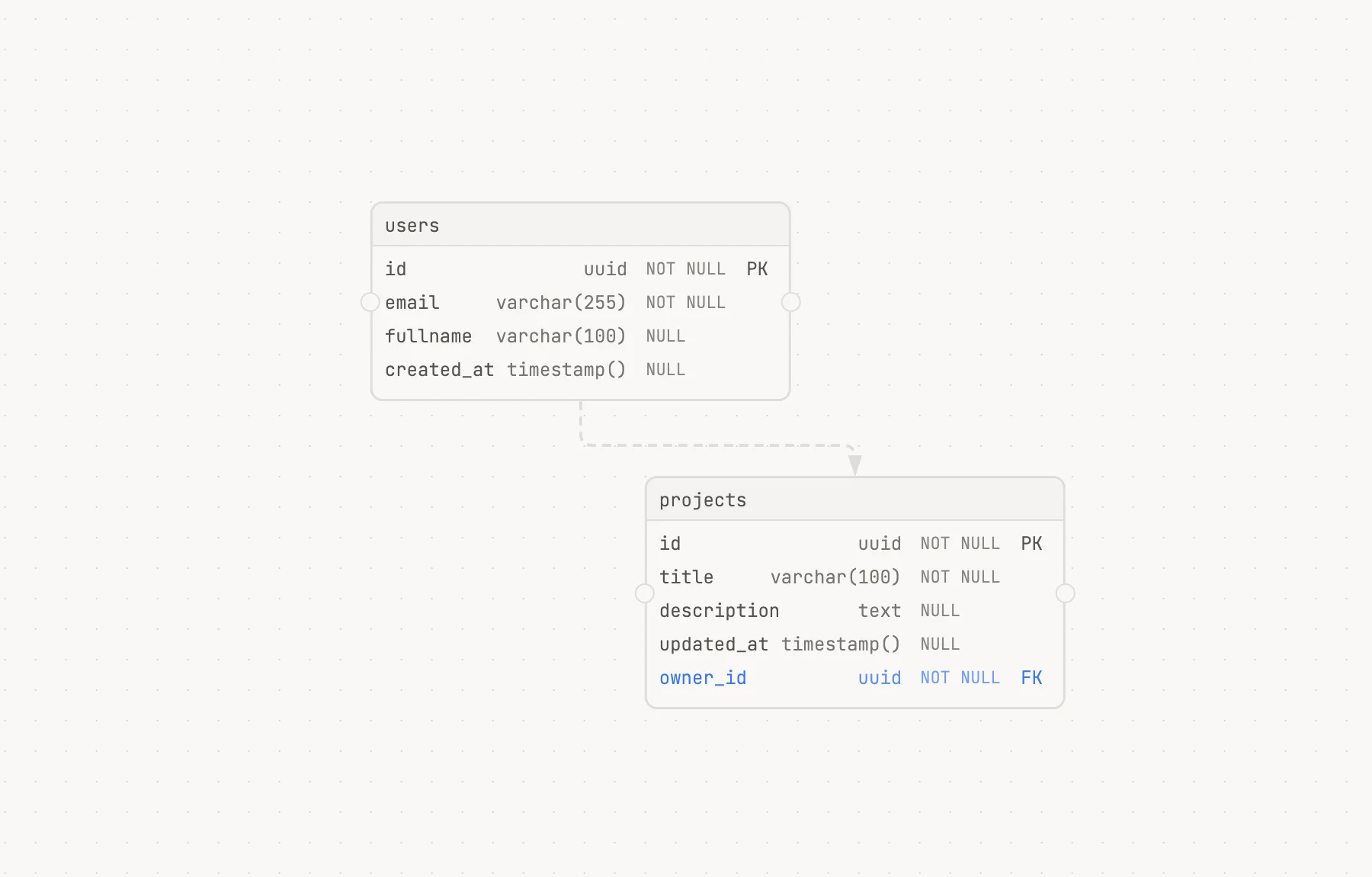
An infinite canvas for your database design.
Drag and drop tables, draw relationships, and organize your schema on a powerful visual canvas.
6 View Modes
Standard, compact, keys-only, description, color-coded, and minimal views to match your workflow.
4 Layout Algorithms
Auto-arrange your diagrams with force-directed, hierarchical, grid, or circular layouts.
Full Undo / Redo
Every action is tracked. Move backward and forward through your design history with ease.
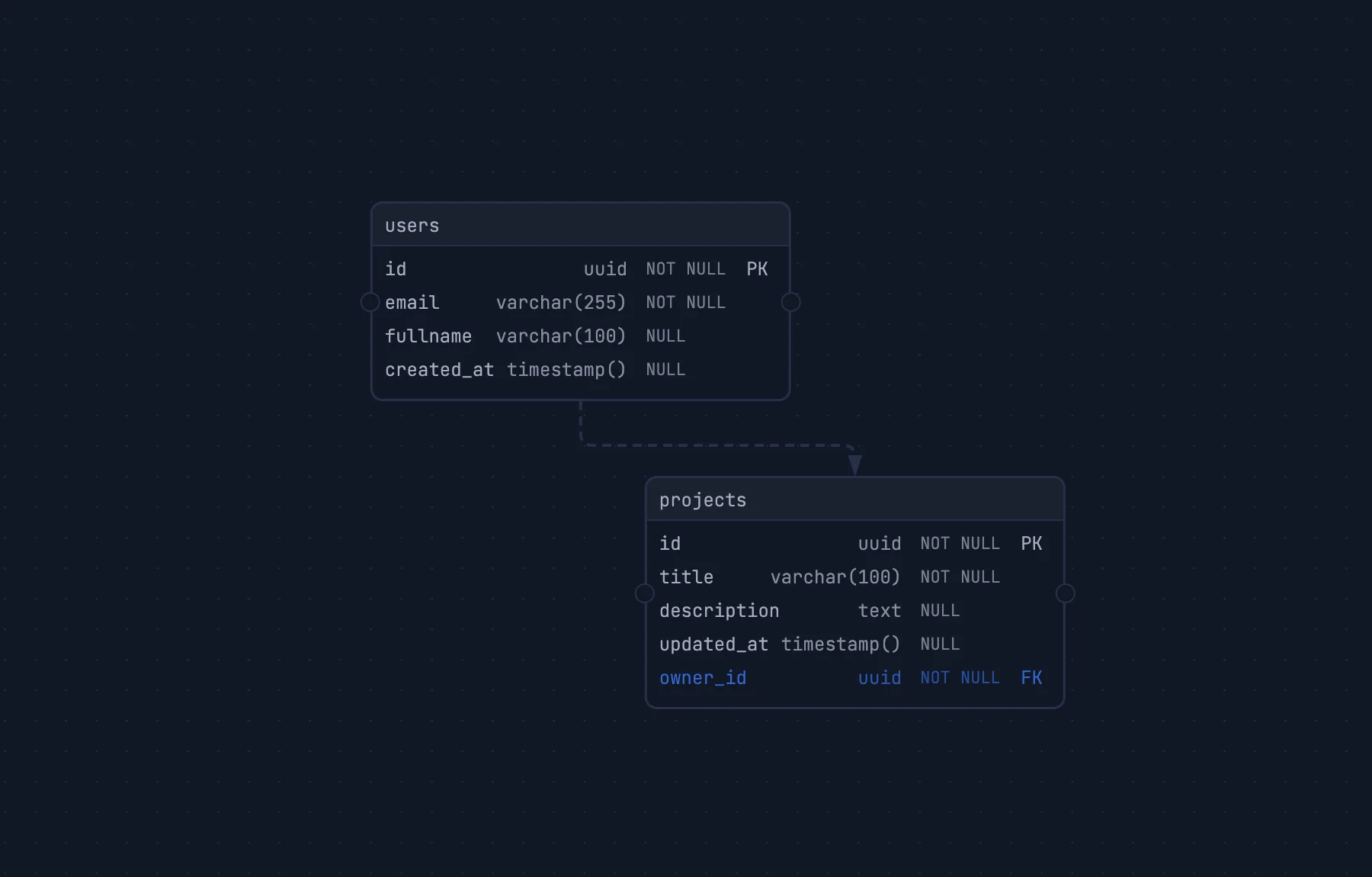
Dark & Light Themes
Choose the theme that suits your environment. Both are designed for extended design sessions.
timestamptimestamptzdatetimenow()recommendedCURRENT_TIMESTAMPType-aware defaults, zero guesswork.
Relmic suggests the right default expressions based on your column type and target DBMS. No more looking up function names or syntax.
Context-Aware Defaults
Select a column type and instantly see relevant default expressions. UUID columns suggest gen_random_uuid(), timestamps suggest now().
Type-Ahead Filtering
Start typing and the autocomplete narrows results in real-time. Supports all built-in types plus your custom enums.
DBMS-Specific Suggestions
Suggestions adapt to your target DBMS. PostgreSQL, MySQL, SQL Server — each gets the right types and functions.
From diagram to code in one click.
Export your schema to 12+ formats including SQL DDL for 7 DBMS, Prisma, Drizzle ORM, TypeScript, JSON Schema, and SQLAlchemy.
CREATE TABLE users (
  id UUID PRIMARY KEY DEFAULT gen_random_uuid(),
  email VARCHAR(255) NOT NULL UNIQUE,
  fullname VARCHAR(100) NOT NULL,
  created_at TIMESTAMP DEFAULT now()
);

CREATE TABLE projects (
  id UUID PRIMARY KEY DEFAULT gen_random_uuid(),
  title VARCHAR(200) NOT NULL,
  description TEXT,
  updated_at TIMESTAMP DEFAULT now()
  owner_id UUID REFERENCES users(id),
);
All Export Formats
Added orders table
2 hours ago
Updated user indexes
5 hours ago
Added email constraint
Yesterday
Renamed columns
2 days ago
Initial schema design
3 days ago
Version history, built in.
Track every change, compare revisions, and generate migration scripts — all without leaving the editor.
Auto-Revisions
Every save creates a revision. Your full design history is preserved automatically.
Pin Milestones
Mark important revisions as milestones for easy reference and rollback.
Drafts
Create drafts to experiment with changes without affecting the main schema.
Visual Diff
Compare any two revisions side-by-side with highlighted additions and removals.
Migration Scripts
Generate ALTER statements between revisions. Evolve your database safely.
Built for teams.
From small startups to enterprise organizations, Relmic scales with your team.
Organizations & Teams
Create organizations, invite team members, and assign roles — Admin, Editor, or Viewer. Manage access at the team and project level.
Project Locking
Lock projects to prevent unintended edits. Only admins and editors can unlock. Perfect for production schemas.
Audit Logging
Every action is logged — who changed what and when. Full audit trail for compliance and accountability.
Start designing your database with AI today.
Free during public beta. No credit card required.